 Quality Management Software
 Change Management Software
 Production Management Software
 Risk Management Software
 Supplier Management Software
 IT Security Management Software
 TPM/CMMS Maintenance SoftwareQuality Management Software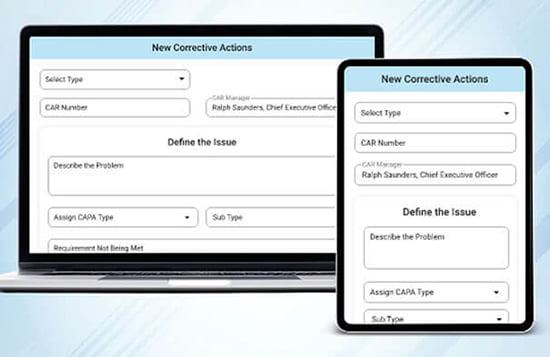
The Best of Both Worlds, and The Right Tool for the Job.
TLM provides a complete solution for ISO Certification using a flexible, feature rich application for building and updating the QMS and an attractive, user friendly and mobile friendly web app to easily push daily QMS tasks out to everyone so your quality system software can help you improve the business AND easily pass ISO, FDA, or any QMS regulatory audit.
TLM has everything you need.
- QMS Software – TLM is the first QMS software to offer dedicated applications for each user group that accelerates the ability of your Quality Management System to work as an integrated part of your business systems. It’s a game changer, schedule a demo and we will show you.
- Template Procedures written to align the use of TLM and compliance with ISO 9001, 13485, 17025, 16949, 27001, or 22000.
- 30 Day Supported Free Trial provides a running head start by uploading existing data, documents, and templates. (See Trial Options.)
- Validation Templates makes short work for ISO 13485 certification for medical device companies.
- TLM Training Center provides short training videos you can link to your internal TLM training records!
- Material Management and CRM Modules with integration capabilities to other business data.
- Consulting and Procedure Writing support and training. (remote or onsite)
Change Management Software
Change Management software, or Product Lifecycle Software in TLM is a solution that manages all of the information and processes at every step of a product or service lifecycle across globalized supply chains. This includes the data from items, parts, products, documents, requirements, engineering change orders, and quality workflows.
TLM can also configure this module to work in organizations where change management is primarily people focused and thus integrated with risk analysis, internal procedures, training, organizational charts, and online surveys.
When your business processes are aligned with today’s TLM/PLM software on a single platform, you can unify your product value chain with integrated business planning and supply chain execution to help drive faster innovations and improve how products are designed, manufactured, maintained, and serviced.
Production Management Software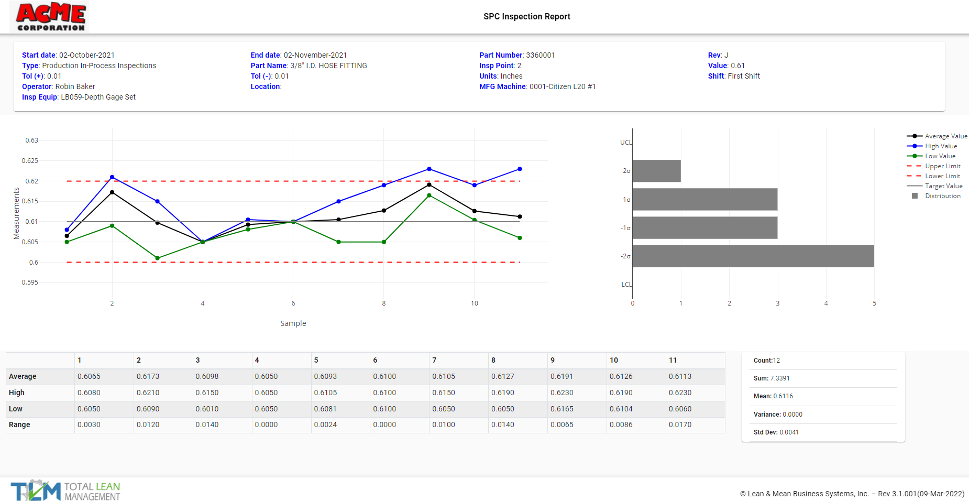
Whether you are importing data from an existing ERP system so that TLM can handle inspections, NCRs, and Vendor approvals, or you are using TLM for purchase orders, work orders, and inventory management, having this data integrated with all the other TLM modules gives you the flexibility to close the gaps in the solutions you need to manage your current situation with the best possible combination of solutions. For manufacturers, quality management software is inevitably integrated with material management and it’s not always an option to abandon software decisions made before TLM was discovered, so the flexibility to integrate provides your QMS software the ability to handle quality within your existing production management software landscape.
Risk Management Software
Ensuring the growth of your business is not undermined by unforeseen risks is an essential part of every company’s business strategy. TLM allows you to customize this process to address the guidelines of ISO 31000 and ISO 14971 by taking a unique umbrella approach to how and when the effort to identify, quantify, and mitigate risks is accomplished.
By taking a Fusion Technology approach that integrates the ability to perform risk analysis from a variety of TLM modules, the best approach can be documented in your procedures, and those procedures can be linked to the TLM modules from which Risk and Opportunity evaluations should be performed based on your procedures. This allows you to harness the foresight of your employees at the critical workflow steps where risk management software needs to be integrated into your existing processes.
Supplier Management Software
With ISO 27001 certification being widely recognized as a must have in today’s world of IT security management, TLM allows you to ensure your business is not undermined by unforeseen risks in IT Security which is an essential part of every company’s business strategy.
This process can be customized to best suit your needs by being integrated with a risk management plan, risk analysis, and internal procedures. An important part of this is choosing appropriate controls by using TLM to manage the information security risks. This enables the risk assessment to be simpler and much more meaningful to the organization and helps considerably with establishing a proper sense of ownership of both the risks and controls.
IT Security Management Software
With ISO 27001 certification being widely recognized as a must have in today’s world of IT security management, TLM allows you to ensure your business is not undermined by unforeseen risks in IT Security which is an essential part of every company’s business strategy.
Need CMMC certification? TLM can make this much easier, as we have already self audited to NIST 800-171 and fully comply with the requirements it would be the responsibility of your QMS software to meet, such as providing Multi-Factor Authentication in both the web app and main app. CMMC certification is a process the DoD contractor applies for and achieves, and TLM can play an important role in this process by delivering compliant capabilities such as integration with a risk management plan, risk analysis, and internal procedures.
An important part of this is choosing appropriate controls by using TLM to manage the information security risks. This enables the risk assessment to be simpler and much more meaningful to the organization and helps considerably with establishing a proper sense of ownership of both the risks and controls and ultimately achieving CMMC certification.
TPM/CMMS Maintenance Software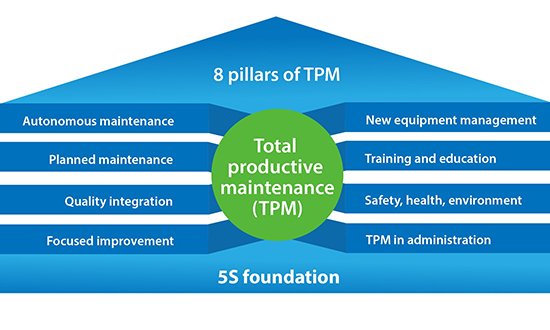
Computerized maintenance management system (CMMS) software is software that centralizes maintenance data and equipment asset information, and facilitates the automatic scheduling of maintenance activities. It also helps optimize the utilization and availability of company assets directly or indirectly tied to the value stream, such as production equipment, vehicles, machinery, plant infrastructures, IT and communications, and other assets.
Total Productive Maintenance (TPM) is not necessarily its own recognized software category as it is really an 8 pillar philosophy of engaging the entire organization in maintenance on the foundation of 5S with the goal of getting as close to 100% equipment availability as possible. As a result, software to support a solid TPM program would need to address many aspects of an organization beyond what CMMS software usually does, to include procedures, policies, training, management reviews, metrics, equipment maintenance, risk analysis (links to DFMEA, PFMEA and Control Plans) project management, purchase orders, work orders, inventory, vendor management, tools to support Kaizen Initiatives like value stream mapping with both time and cost projections, and perhaps audits, with solid KPI reporting.
Basically, you would need Total Lean Management software to fully wrap software around all the activities involved in building a comprehensive TPM program. Want to see how that can be accomplished? Schedule a demo with us and we’ll show you how TPM can be accomplished with TLM.
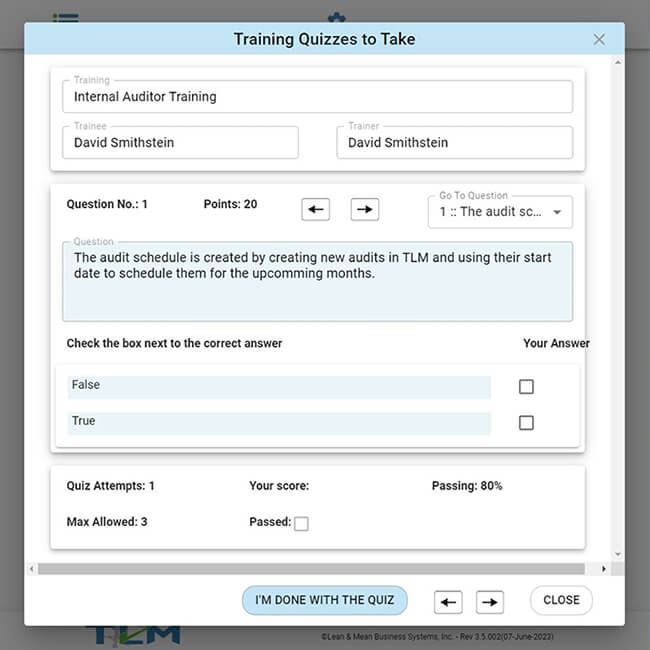

Let us show you the advanced features of the TLM Main App
Request a DemoThe TLM Web App is easy enough without training
Free 30 Day Trial





“In the 10 years that we have relied on TLM to manage our quality documents, it has grown to become the core of our QMS. Our QMS has been audited by BSI, TUV, SAI, FDA, Canada Health and CDPH . We survived all of those audits and emerged a better company. Thanks, David!”

Jim Klett
“EXCELLENT customer service! Without fail, David has responded to every question, email and phone call within a few hours. He is great to work with and always willing to help… TLM is a one-stop shop for all of our QMS needs … The training videos on the website are helpful- keep them coming!”

Allison Getz
“Very helpful in fine-tuning the software/reports to meet our specific needs for audits, even ones requested the day before the audit. The software is straight forward for use, we have 8 personnel in two different locations using it seamlessly … The best customer support I have ever used.”

Stewart Denham



 Demos
Demos